
Appearance
Purchase orders & receiving
▶ Watch — a quick walkthrough of purchase orders & receiving
A purchase order (PO) is what you send a vendor to buy stock. When the goods arrive you receive against the PO, which raises your inventory and records the cost.
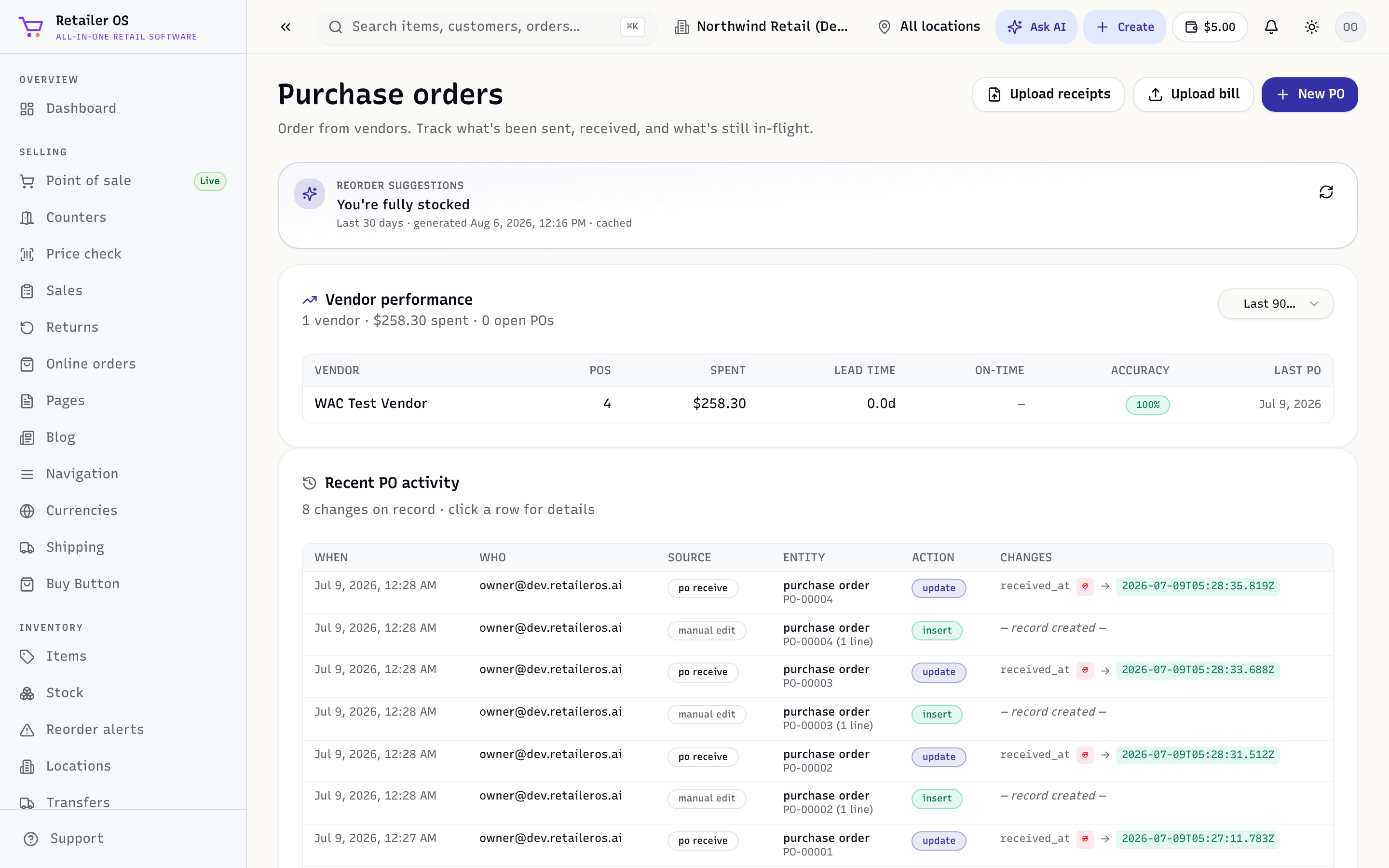
Create a purchase order
- Open Inventory → Purchase orders and choose New.
- Pick the vendor and the location the stock is coming into.
- Add the items and quantities to order, with unit costs.
- Save, then send or print the PO for the vendor.
TIP
The Reorder alerts screen can seed a PO with everything that's below its reorder point, so you don't build orders by hand.
Receive the goods
When the shipment arrives:
- Open the PO and choose Receive (or use Vendor receipts,
/inventory/receipts). - Enter what actually arrived — full or partial. Partial receipts leave the rest open.
- Confirm. Stock goes up at that location and costs update (weighted average).
Vendor bills
Receiving updates stock and costs, but it doesn't create a bill. When the vendor's invoice arrives, add it under Finance → Vendor bills and record your payments there. See Vendor bills.
NOTE
A PO can be received in several deliveries. It stays open until fully received or you close it.